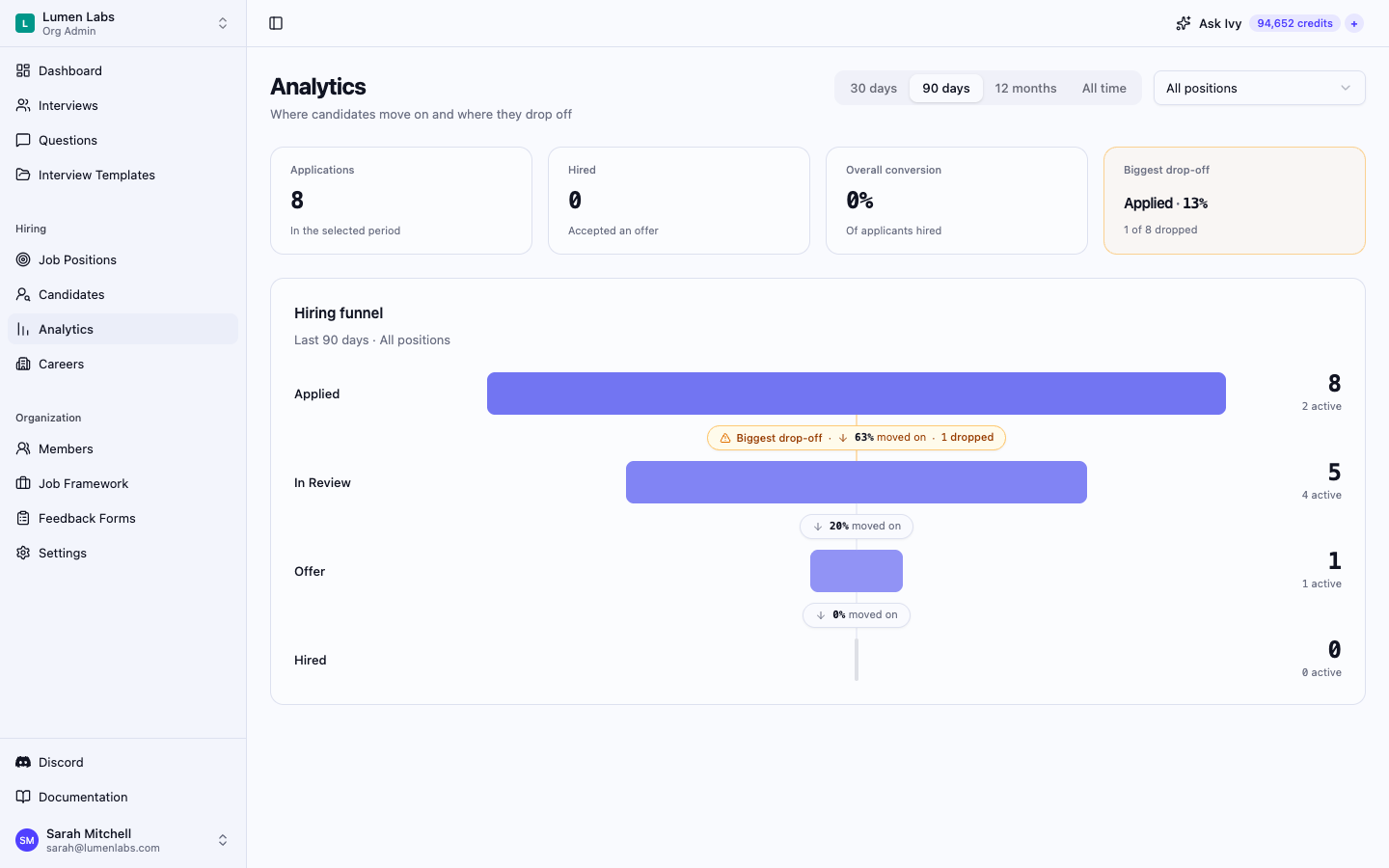
The Analytics page shows your hiring funnel: how many applications reached each stage, how many are still in progress, how many dropped out, and what share moved on to the next stage. It points out the stage with the biggest drop-off and lets you open the list of candidates who dropped at any stage.
Prerequisites
Opening Analytics
Select Analytics in the Hiring group of the sidebar, between Candidates and Careers. The item appears only when you hold both permissions above. You can also select View analytics on the dashboard's Hiring funnel widget — see Dashboard.
Choosing what to measure
Two filters sit at the top right of the page:
- Period — 30 days, 90 days, 12 months, or All time. The funnel includes applications submitted within the chosen period. 90 days is selected when you open the page.
- Position — All positions or any single job position.
The line under the Hiring funnel heading repeats your choice — for example Last 90 days · All positions. The page address keeps the period, the position, and any open drop-off list, so you can bookmark or share the exact view.
Summary tiles
Four tiles sum up the selected view:
| Tile | What it shows |
|---|---|
| Applications | Applications submitted in the selected period |
| Hired | Applications that reached Hired |
| Overall conversion | Hired applications as a share of all applications |
| Biggest drop-off | The stage with the highest drop-off rate and how many of the applications that reached it dropped there |
Reading the funnel
The org-wide funnel has four stages: Applied, In Review, Offer, and Hired. Each application counts once, at the furthest stage it ever reached, even if it later moved back or dropped out:
- Hired — the application is hired.
- Offer — the application is in Offer, or an offer was created for it.
- In Review — any of these is true: the application is in In Review, it is in one of the position's pipeline phases, it has an interview that was not cancelled, or its status was ever changed to or from In Review, Offer, or Hired.
- Applied — none of the above.
Because the status history counts, an application that went back to Applied after its only interview was cancelled still counts as having reached In Review.
Each stage row shows three numbers:
- The large number is how many applications reached the stage — those that counted at this stage or any later one.
- active is how many of the applications counted at this stage are still in progress — not hired, rejected, or withdrawn.
- dropped, on the connector below the stage, is how many applications counted at this stage were rejected or withdrew. It appears only when at least one application dropped there.
The connector between two stages shows the share that moved on: the applications that reached the next stage as a percentage of those that reached this one. It shows — when no application reached the earlier stage.
Biggest drop-off
The biggest drop-off is the stage with the highest share of dropped applications — dropped divided by reached — counting only stages where at least one application dropped. Its connector is highlighted and labelled Biggest drop-off, and the Biggest drop-off tile names the stage with its rate, for example Applied · 13% above 1 of 8 dropped. When nothing has dropped yet, the tile shows No drop-offs yet.
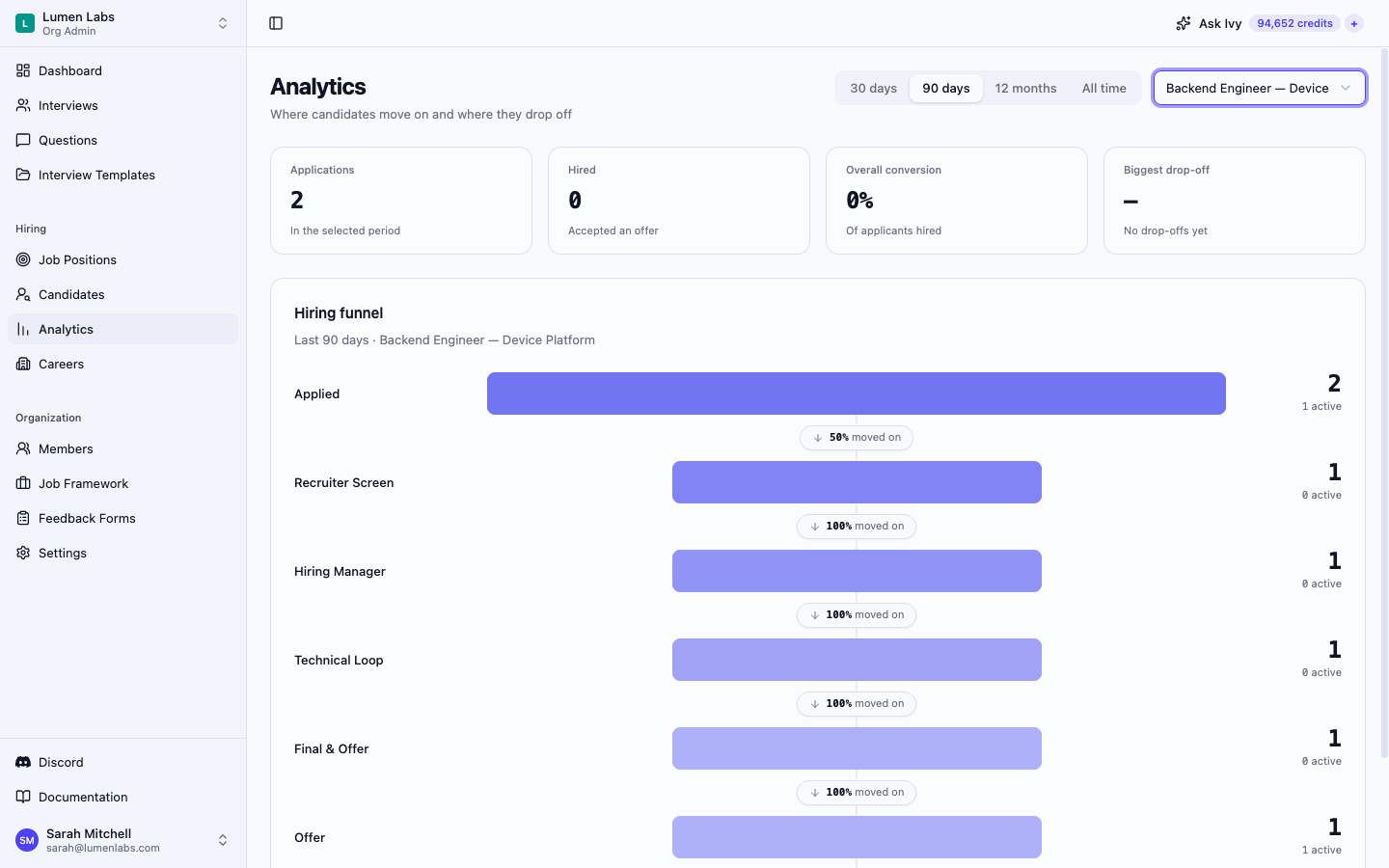
Funnel for a single position
When you pick a position, the funnel replaces In Review with that position's own pipeline phases, in pipeline order: Applied, then each phase, then Offer and Hired. An application counts at the furthest phase it reached — the latest in pipeline order among its current phase and the phases of its interviews that were not cancelled — and also counts as having reached every earlier phase. An application with no such phase counts at Applied in this view, even if it counts as In Review in the org-wide funnel.
Seeing who dropped at a stage
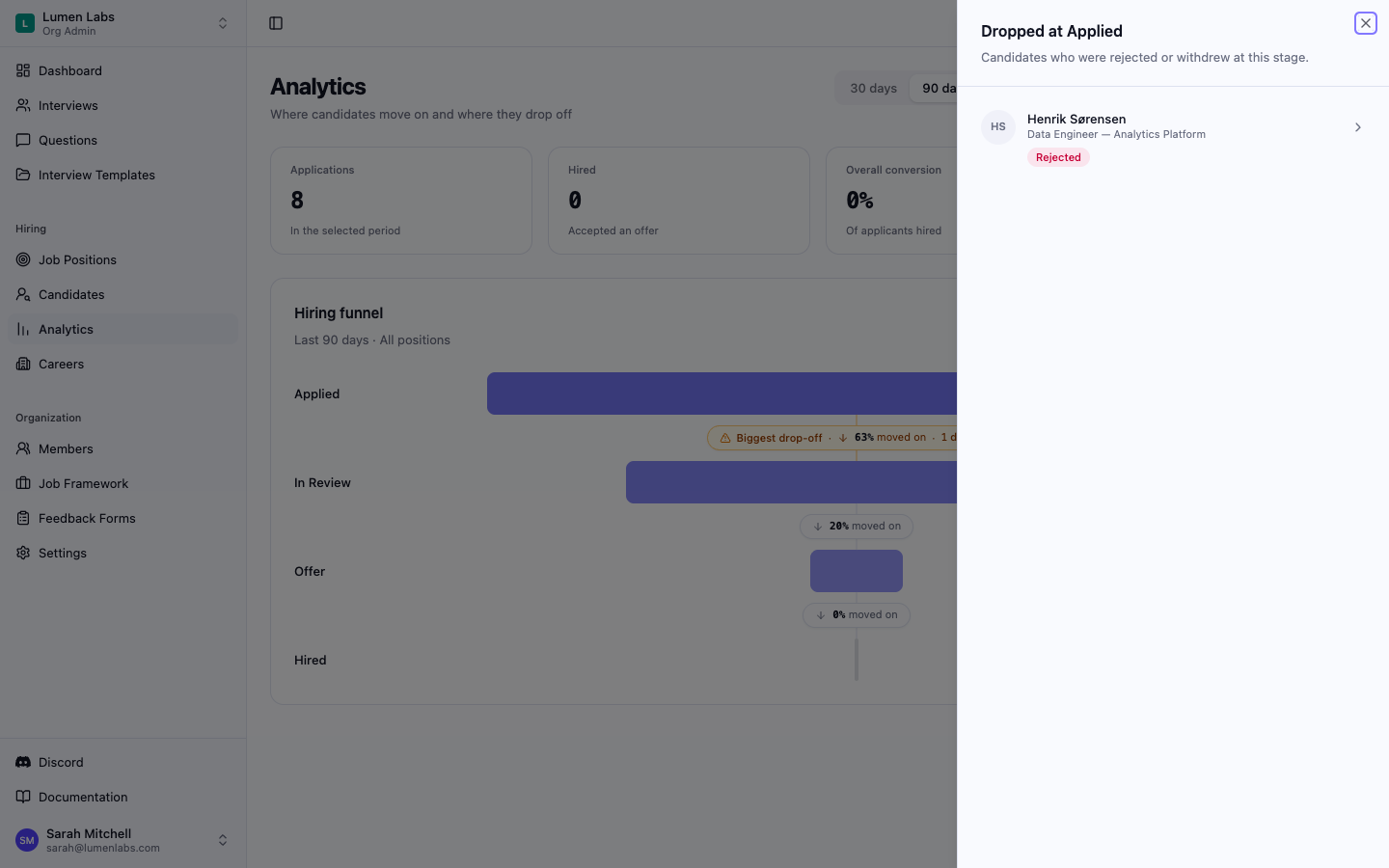
Select the dropped count on a stage's connector to open Dropped at [stage name], a panel listing the applications submitted in the selected period that were rejected or withdrew at that stage. Each row shows the candidate's name, the position, a Rejected or Withdrawn badge, the rejection reason when one was recorded, and, when the date is known, how long ago they dropped — for example Just now, 5h ago, Yesterday, or 3d ago. The most recent drops are listed first.
Select a row to open that application. When none of the applications submitted in the selected period dropped at the stage, the panel shows No one dropped here.
Permissions reference
| Action | Permission | Default roles |
|---|---|---|
| View analytics (requires both permissions) | candidates:view | AdminStaffing |
| View analytics (requires both permissions) | job_positions:view | AdminStaffing |
Troubleshooting
The page shows "No applications in this period." — No application in the selected view was submitted within the chosen period. Pick a longer period, such as All time, or another position.
The page shows "Couldn't load analytics." — The funnel could not be loaded. Select Try again.
The drop-off panel shows "Couldn't load candidates." — The list could not be loaded. Select Try again in the panel.
Analytics is missing from the sidebar. — You need both candidates:view and job_positions:view. Ask an organization admin to update your role.